Archive tutorial: the interface and software versions shown are from the original guide and may differ from current versions.
There are two concepts to understand when managing a WordPress website.
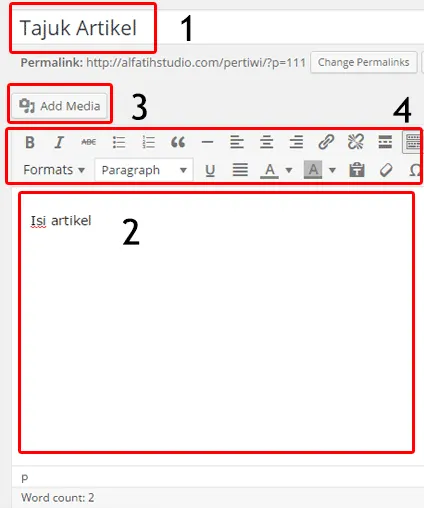
1. WordPress articles are managed under Posts.

– Articles entered under Posts can appear on the website’s front page. The newest article appears first, or at the top of its category.
– Their order is controlled by the date set in the article. By default, this is the date and time the article is entered unless you change it.
– You can change the displayed date and time, setting it in the past or future. A future-dated article is published automatically at the scheduled time. Bloggers with several prepared articles often use this to enter them together and publish them later.

– Click Edit in the Publish section beside the article editor, then set the required date and time.
– Posts are also organised through categories and tags. These help you and your readers find related articles. Use suitable categories without creating too many.
– An example of an article in Posts on my website is shown below.

2. Static content is managed under Pages.
– Content entered under Pages is
static and is not listed by date.
Typical Pages content includes
company information and contact details
or
product price lists
.

– Pages can be placed in the website’s left or right sidebar using widgets.

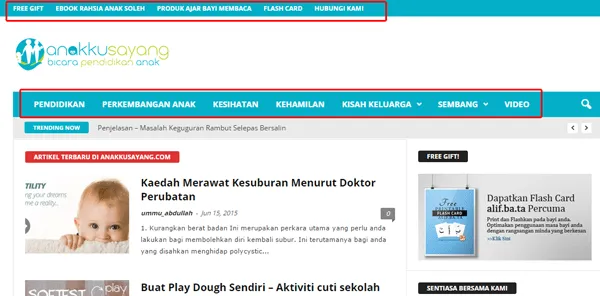
– Pages can also be placed in the website’s menus, depending on the menu positions supported by the template.
Menus can also display Post categories.

– Pages do not use categories or tags for automatic organisation by the website system.
That is all.