Archive tutorial: this English version describes the original software and interface. Steps and screenshots may differ from current versions.
OpenCart is an e-commerce system that users can maintain easily. The original article describes its use by large companies for online business and cites w3techs.com examples: Ukr.net, Freekaamaal.com, Risingbd.com, Sacbee.com, Kitapyurdu.com, Barcanews.org, Bukombin.com, Offcn.com, Borsonline.hu and Bible.org.
If you are unfamiliar with OpenCart, follow our articles for usage guides, which are updated from time to time.
OpenCart offers a platform users can update, sales reports, social sharing and blogging features.
At the time of the original article, opencart.com had introduced version 2.0 with the following improvements.
1. Responsive design
Responsive layouts that adapt to different devices and mobile screens are important in website development. OpenCart’s new system provides an appealing presentation for both the storefront and administration area.
The original illustrations show the mobile storefront and mobile administration views.
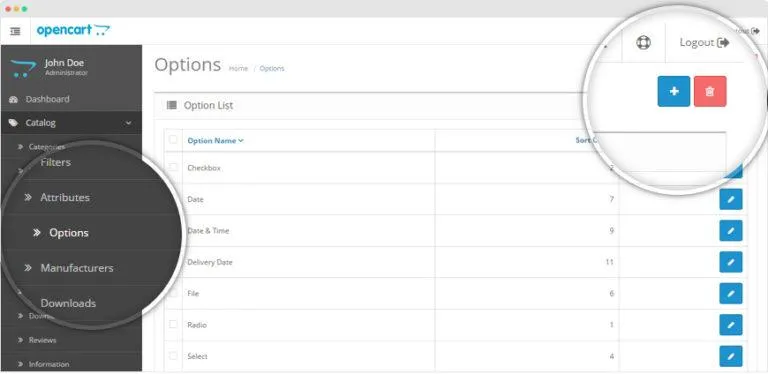
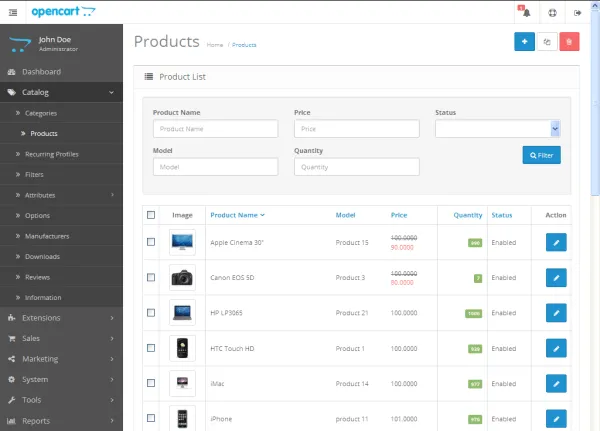
2. A new administration interface
The administration area received a more polished design, with features arranged to make them easier to use.
3. Easier extension installation
Users can install extensions and new features by uploading them through the website administration area, instead of uploading files into server folders through FTP. This makes it easier for new users to add features themselves.
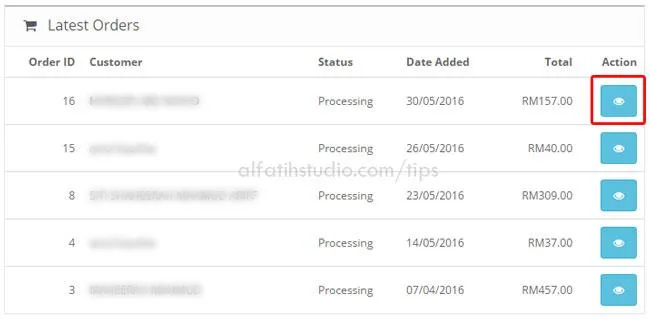
4. Dashboard notifications
When administrators log in, they can see important notifications such as unprocessed sales, newly registered customers, completed sales and other updates.
The article encourages readers to try OpenCart, describing its management and sales system as easier than expected.
Original guide illustrations


Links from the original guide
http://w3techs.com/sites/info/ukr.net
http://w3techs.com/sites/info/freekaamaal.com
http://w3techs.com/sites/info/risingbd.com
http://w3techs.com/sites/info/sacbee.com
http://w3techs.com/sites/info/kitapyurdu.com
http://w3techs.com/sites/info/barcanews.org
http://w3techs.com/sites/info/bukombin.com
http://w3techs.com/sites/info/offcn.com
http://w3techs.com/sites/info/borsonline.hu
http://w3techs.com/sites/info/bible.org
https://alfatihstudio.com/tips/wp-content/uploads/2015/10/opencart-v2-mobile.png
https://alfatihstudio.com/tips/wp-content/uploads/2015/10/opencart-2-0-mobile-back-end.png
https://alfatihstudio.com/tips/wp-content/uploads/2015/10/paparan-admin-baru-opencart-v2.png
https://alfatihstudio.com/tips/wp-content/uploads/2015/10/opencart-2-0-extension-installer.png
https://alfatihstudio.com/tips/wp-content/uploads/2015/10/sistem-notifikasi-opencart-v2.png