Archive tutorial: this English version describes the original software and interface. Steps and screenshots may differ from current versions.
Company introductions, company background, delivery details and other e-commerce information are usually stored under Information.
To add information:
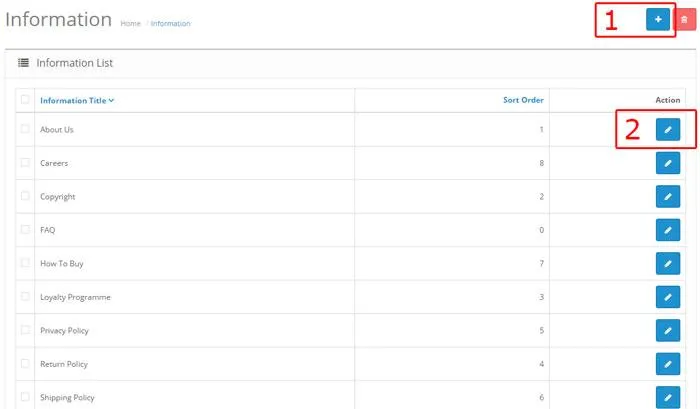
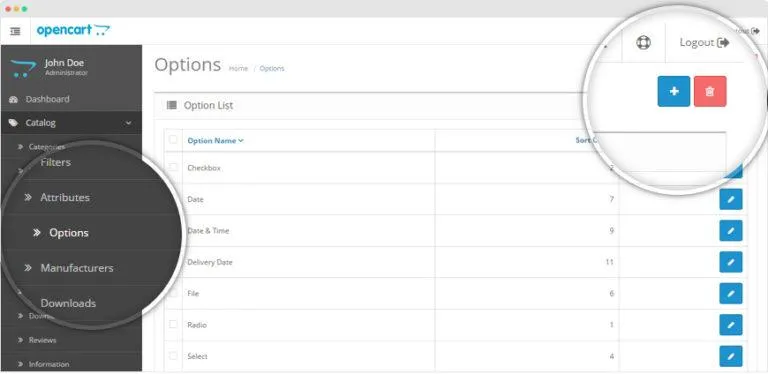
Click Catalog > Information.
Click button 1 in the original illustration to add information, or button 2 to edit an existing information page.
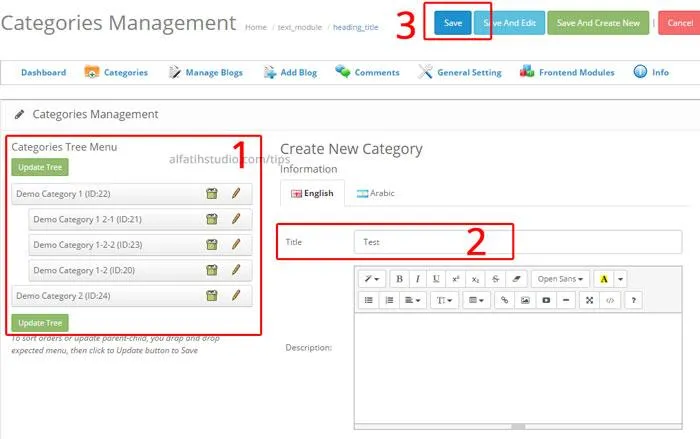
Complete the details shown in the illustration.
If information pages are configured to appear in the footer, tick Bottom (1) under Data.
When finished, click Save, shown as button 2. Done.
Original guide illustrations
Original guide illustration 1. Interface wording is shown as captured.Original guide illustration 2. Interface wording is shown as captured.Original guide illustration 3. Interface wording is shown as captured.Original guide illustration 4. Interface wording is shown as captured.