Archive tutorial: the interface and software versions shown are from the original guide and may differ from current versions.
This example uses Joomla 2.5.6. The original guide states that the method is also the same for Joomla 3. Follow the steps below to update or add an article to a Joomla website.
1. Log in to the
Administration
page by entering namawebanda.com/administrator, then provide your username and password.
2. Click
Article Manager
under Content.

3. Then click
New
at the top right to add a new article.

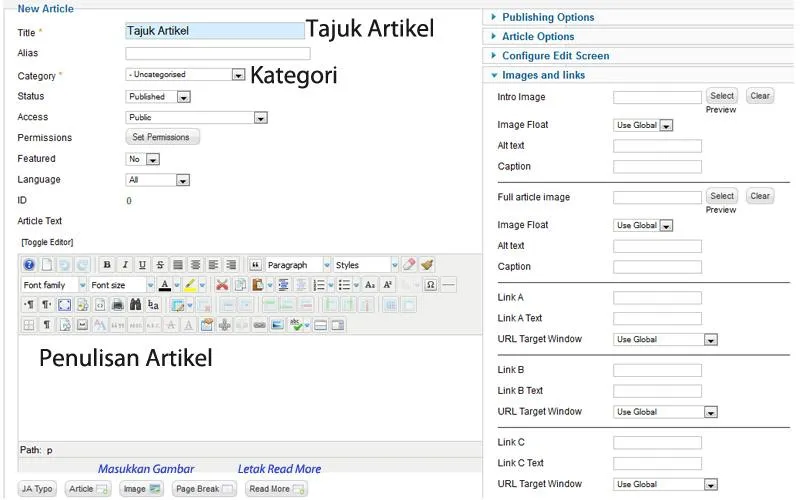
4. Enter your article details.

5. When finished, click
Save or Save and Close
.

That completes the process of adding an article to a Joomla website!