
Case study · Hospitality · Bachok, Kelantan
Pantai Tapang Beach ResortAn inviting coastal setting.
A clearer path to booking.
A resort website redesign that brings the coastal atmosphere to the forefront, supported by booking, reservation calendars and views for the management team.
Background & direction
Choosing a holiday begins with a feeling.
Before choosing a room, people want to imagine the time they will spend at a place. What is the atmosphere like? Is it suitable for families? What can they do after arriving? For a destination such as Pantai Tapang, these questions matter as much as accommodation details.
Pantai Tapang Beach Resort is in Kubang Golok, Bachok, Kelantan. The website needs to convey the coastal atmosphere, spaces to unwind and time with family, then connect that story with accommodation choices and the steps to plan a visit.
This update brings together two needs: a more organised experience for prospective guests and booking views that management can refer to. The scope covers the redesign, content structure, mobile experience, booking, calendars and payments.
Design development
A new look that brings Pantai Tapang’s story to the forefront.
The new layout gives more space to the atmosphere, experiences and reasons to spend time at Pantai Tapang.
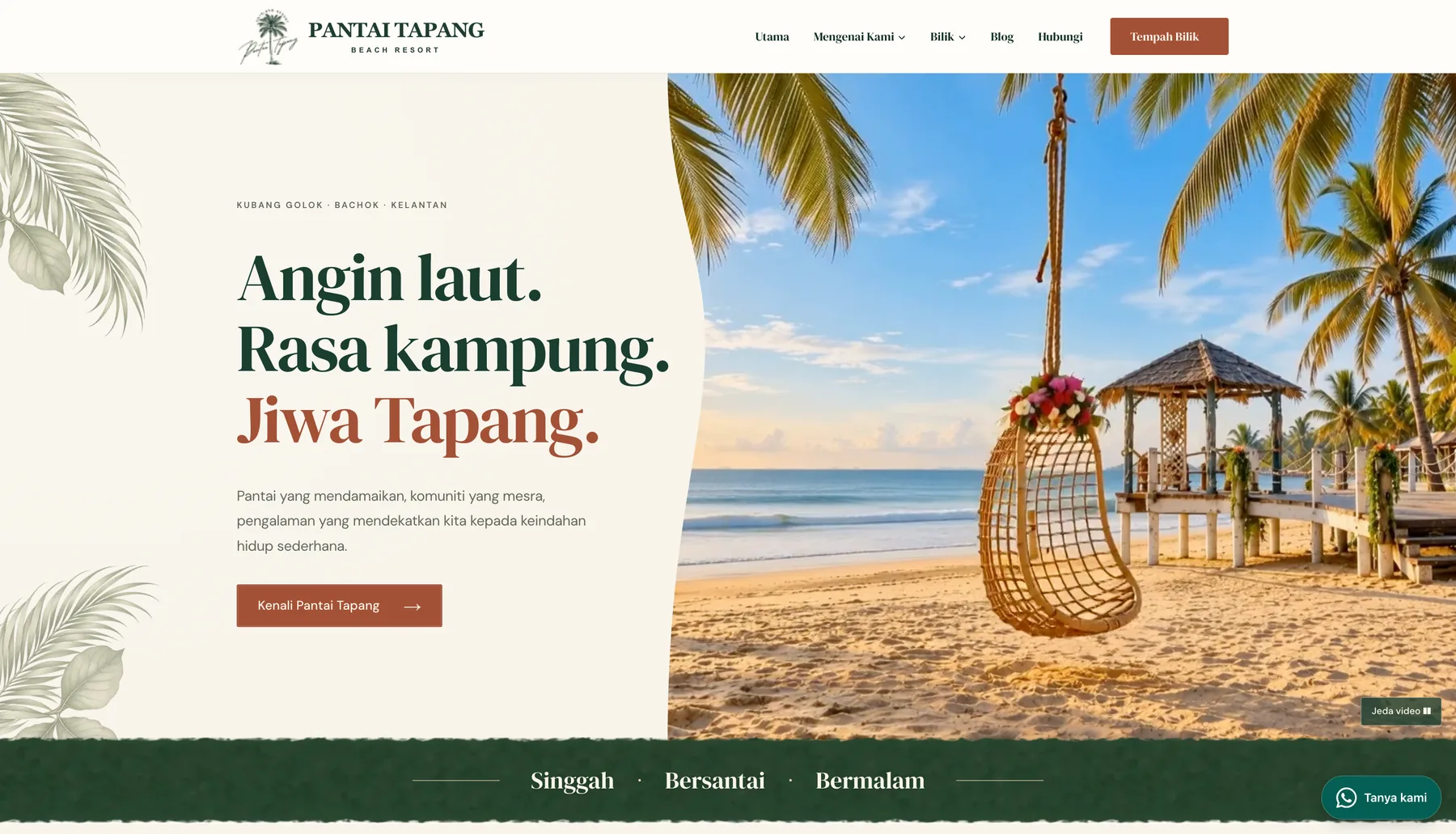
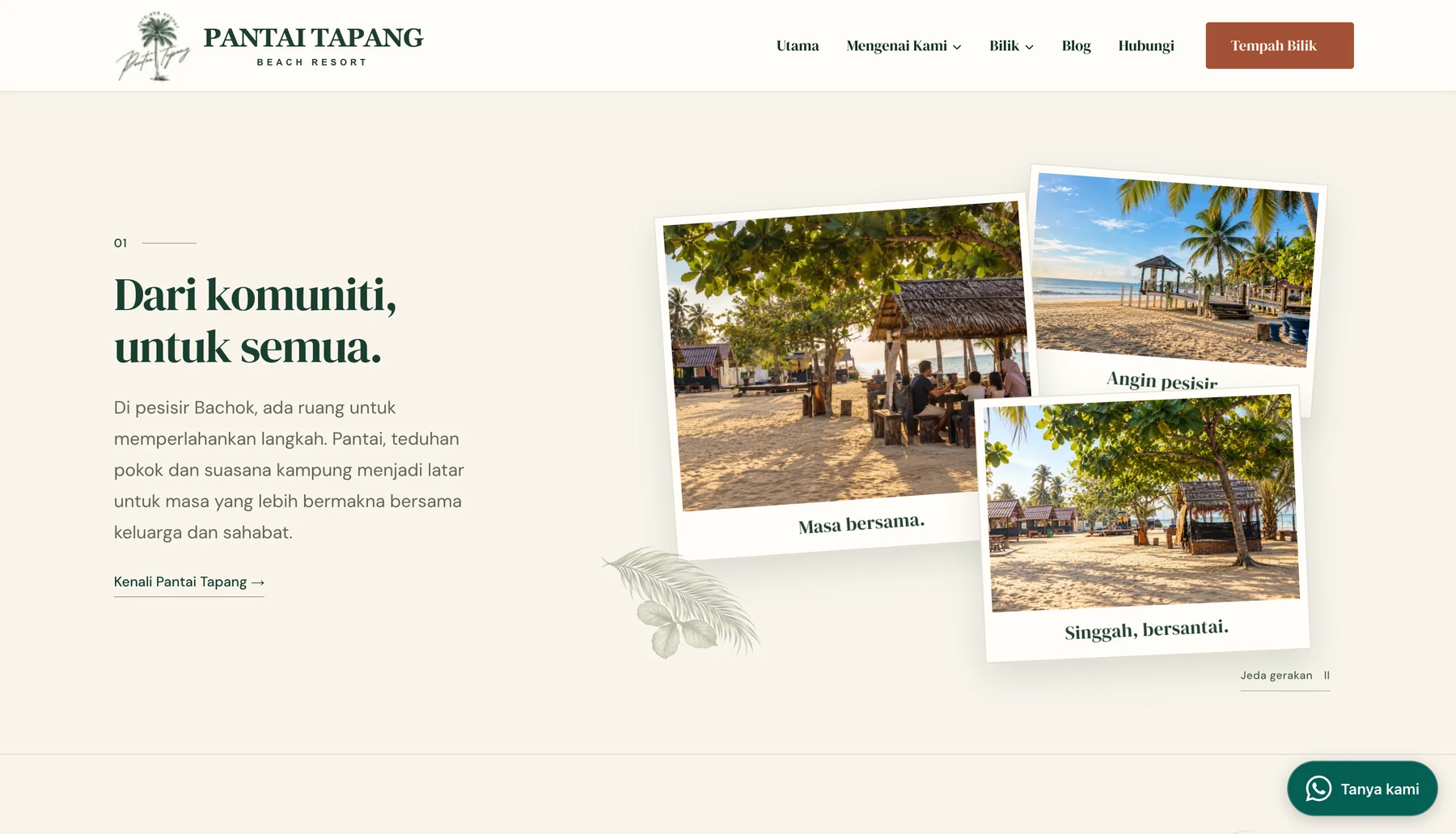
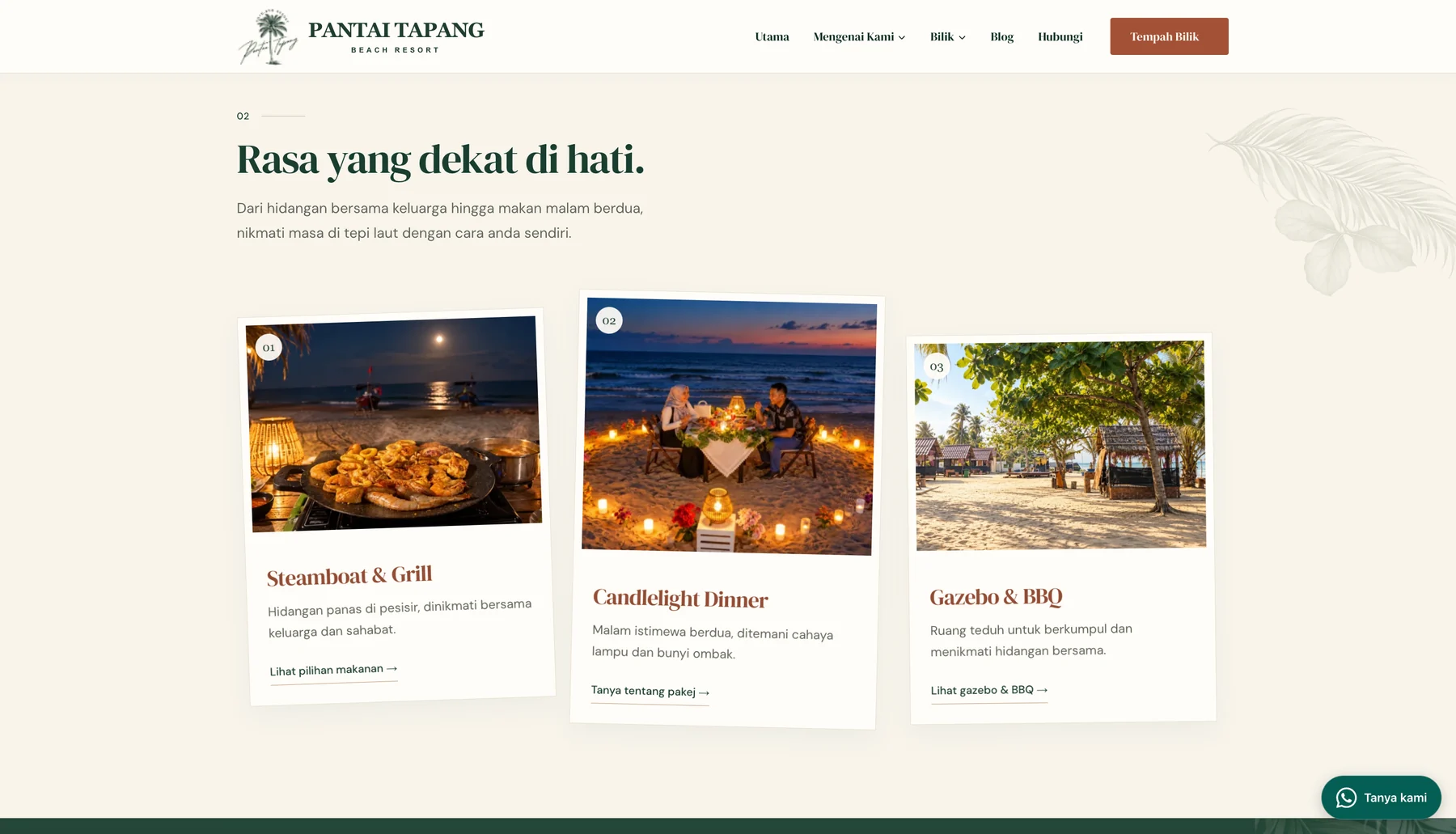
The destination introduction, food, activities, events and accommodation form a single journey. Visitors can discover the place first, then move to information that helps them choose. Nature-inspired colours, distinctive typography and more generous visual space support the story.
The thinking behind the design
Each element helps visitors get to know the place.
Opening with atmosphere
Waves, swings and the coast provide a starting point for imagining the Tapang experience. Motion in the hero brings the page to life, while the heading and short description maintain a focus on the destination’s identity.
An easy-to-follow story
The content moves from the community and atmosphere to food, activities and accommodation. This structure helps visitors understand the choices without having to find everything through separate menus.
Clear actions
Accommodation, date-checking and enquiry links follow the content’s context. After seeing something of interest, visitors have a next step to find out more or plan a visit.
The customer journey
From being drawn to the atmosphere to planning a visit.
The website organises information around the decisions prospective guests need to make: discover the place, choose accommodation, check dates and proceed with a booking.
Someone planning a family visit may need different information from a couple or small group. Accommodation choices therefore need to be easy to compare through photos, capacity and facilities, with a route to check availability.
Discover the destination
Explore the atmosphere, food and experiences available at Pantai Tapang.
Explore accommodation
Compare rooms through the photos, guest capacity and facilities shown.
Check dates
Enter check-in and check-out dates and the number of guests to find accommodation options.
Manage a booking
Continue the reservation process for a suitable option and dates.
Review payments
Payment features complete the reservation process, with records for management to review.
Accommodation & choice information
Information that helps guests weigh their options.
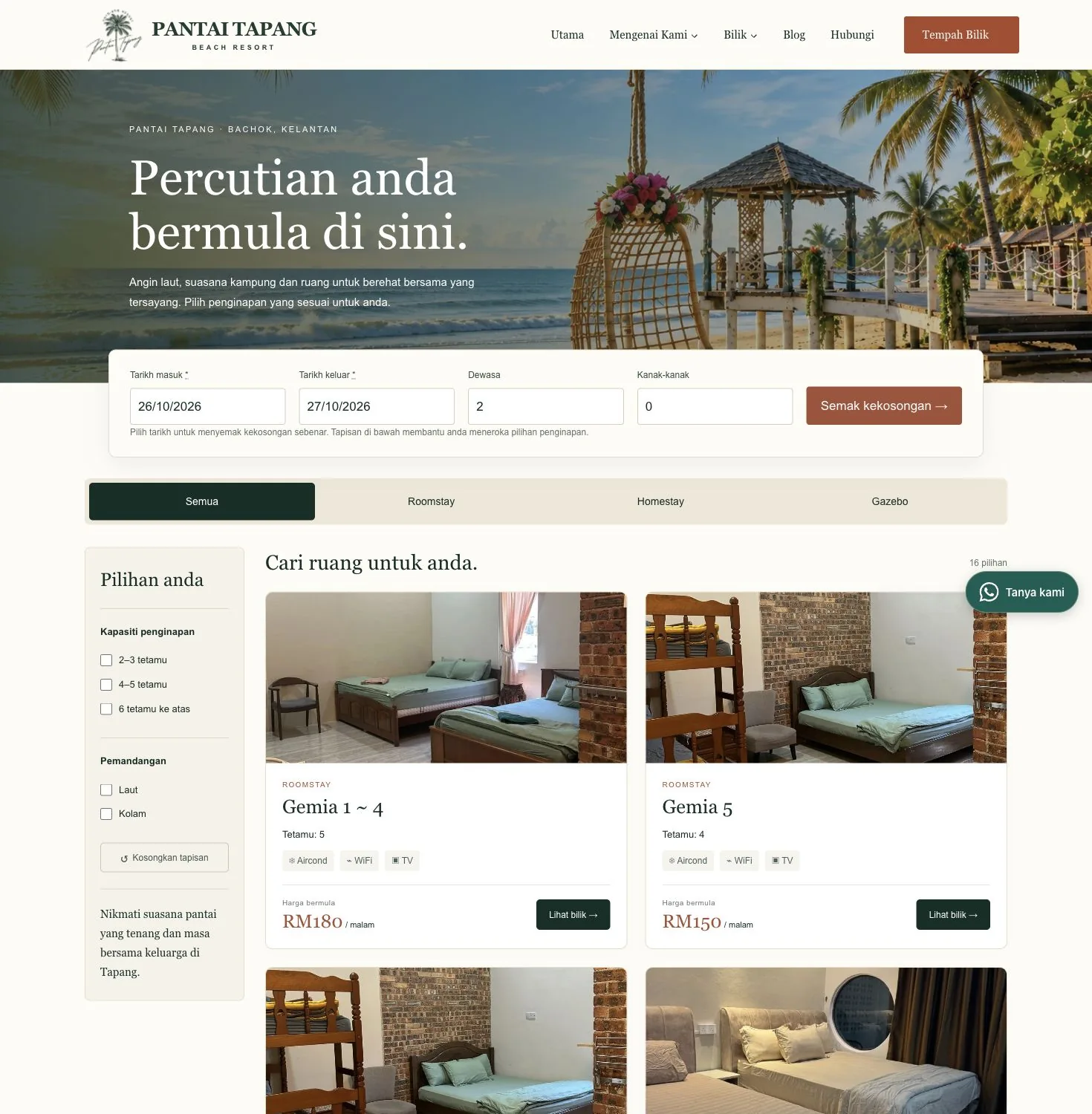
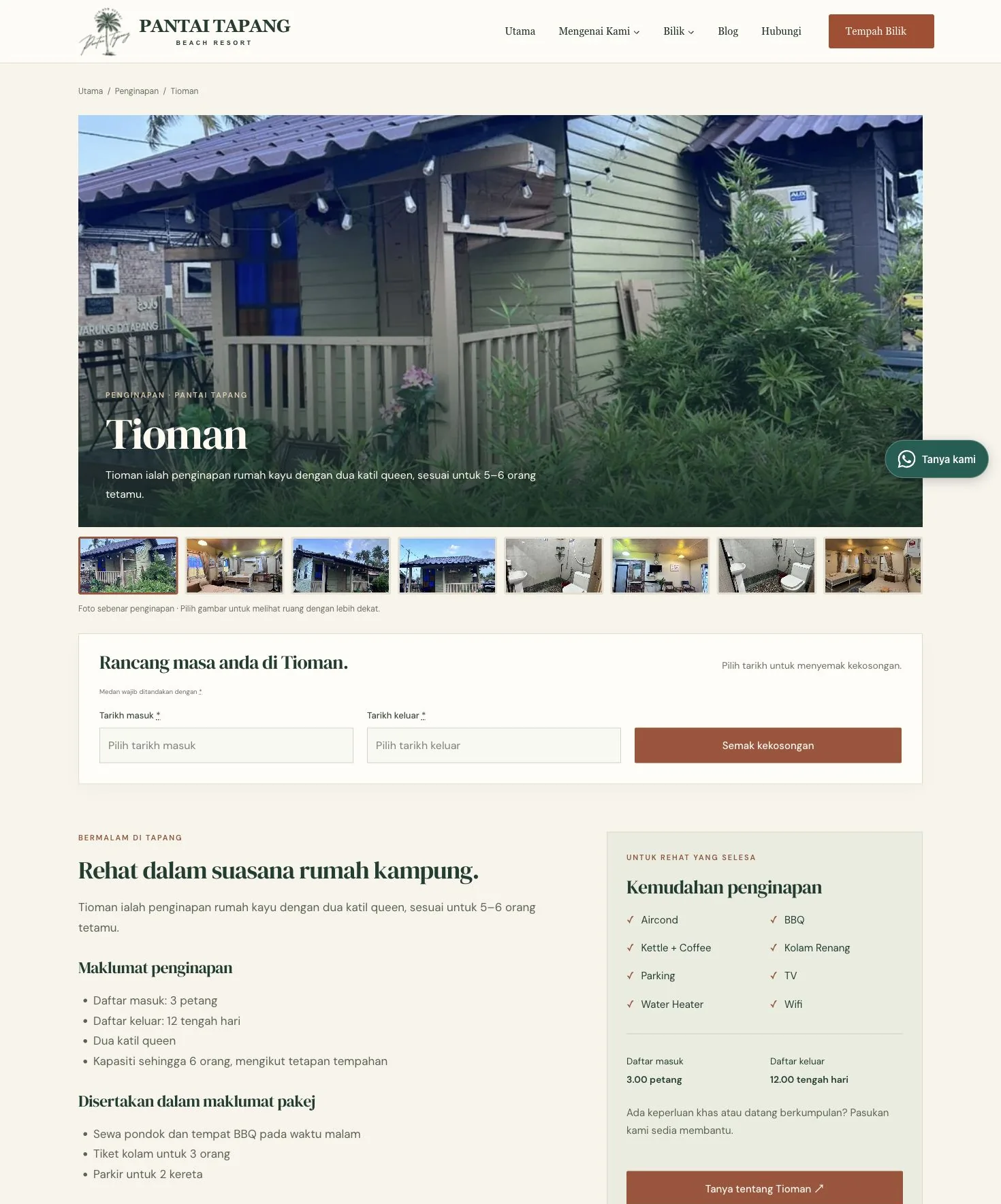
Accommodation listings combine photos, capacity, facilities and filters to give visitors a basis for choosing. Room detail pages then provide closer context: what the space is like, what is included and where to check dates.
The Tioman view, for example, uses actual accommodation photos alongside descriptions and facilities. Links between the listings, room details and date form keep the journey focused on the option being considered.
Date checking that is easy to find.
The search form asks for basic visit details before displaying options. Visitors who have not chosen a room can begin with dates, while those with a preference can explore the room page first.
Guests can also contact the Pantai Tapang team about special requirements or group visits.
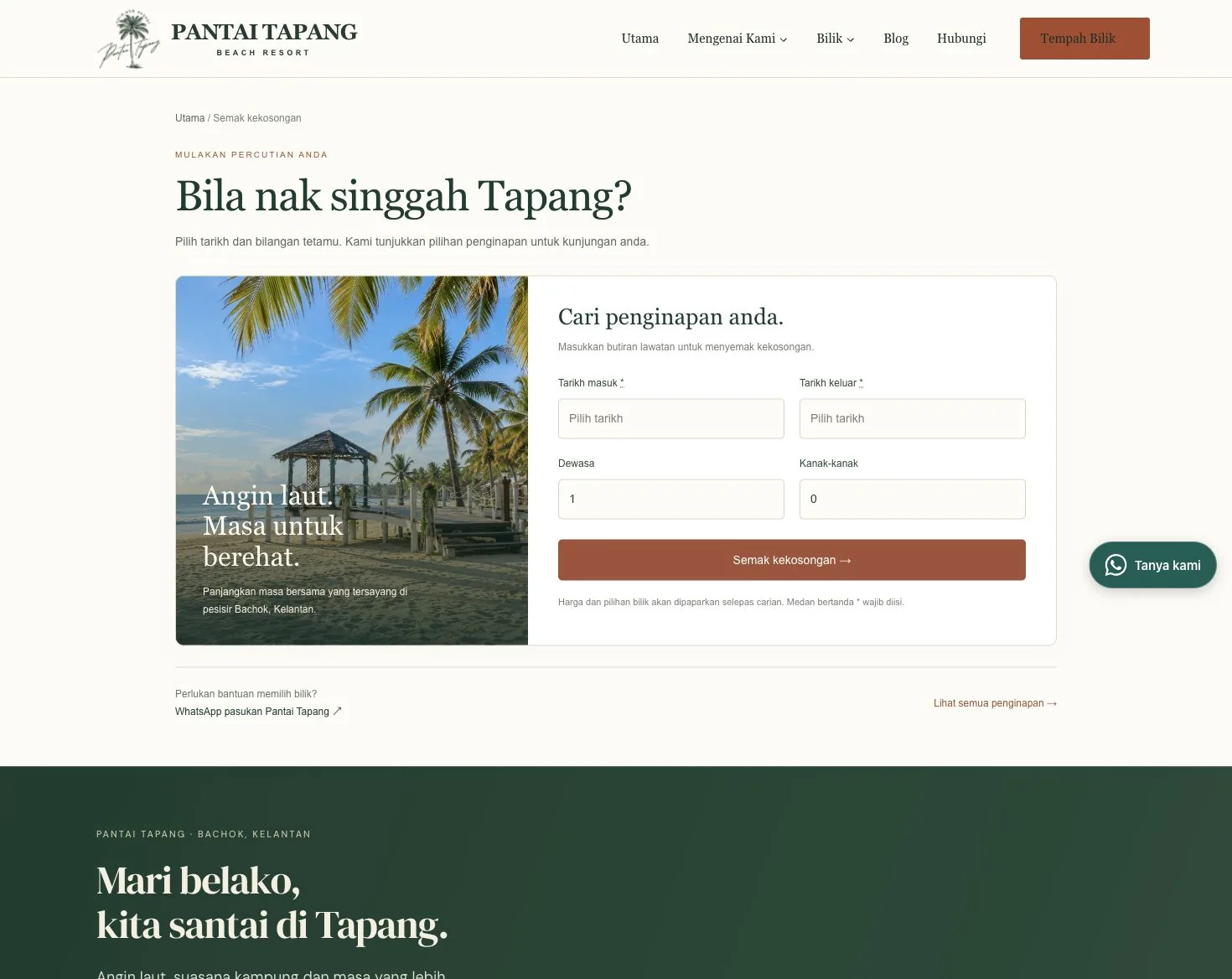
Prices, dates and availability in the screenshots reflect the time of capture. Refer to the Pantai Tapang website for current information.
The mobile experience
Stories, room choices and date searches on a phone.
The mobile experience needs room for images and key information without making the next step difficult. The responsive layout lets visitors read the destination introduction, accommodation listings and search form in a vertical flow.
Action buttons have a clear context: discovering the destination, viewing accommodation or checking dates. The aim is to help visitors move according to their readiness to plan a visit.






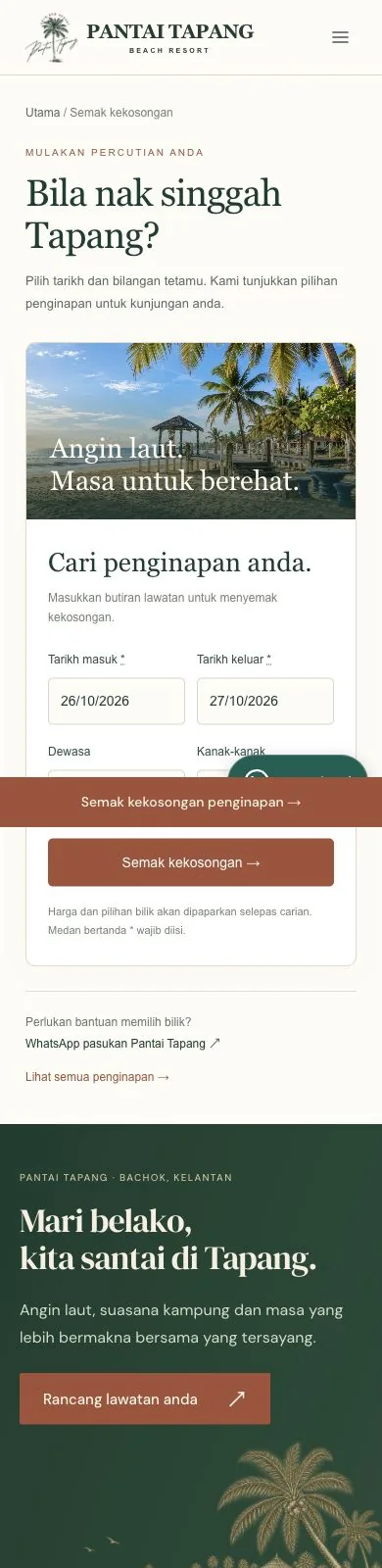
Scroll inside the phone to explore. Auto scroll stops when you interact; use the button to resume.
Behind the visitor experience
A workspace that gives context to reservation management.
After a visitor makes a booking, management needs a way to check dates, accommodation units and related records.
This project’s staff views bring together a daily summary and routes to booking lists and room calendars. The focus is to put information relevant to reservation tasks where it is easy to find.
The daily summary distinguishes scheduled arrivals, departures and stays. The daily list presents dates and room units so staff can open booking details when they need more information.
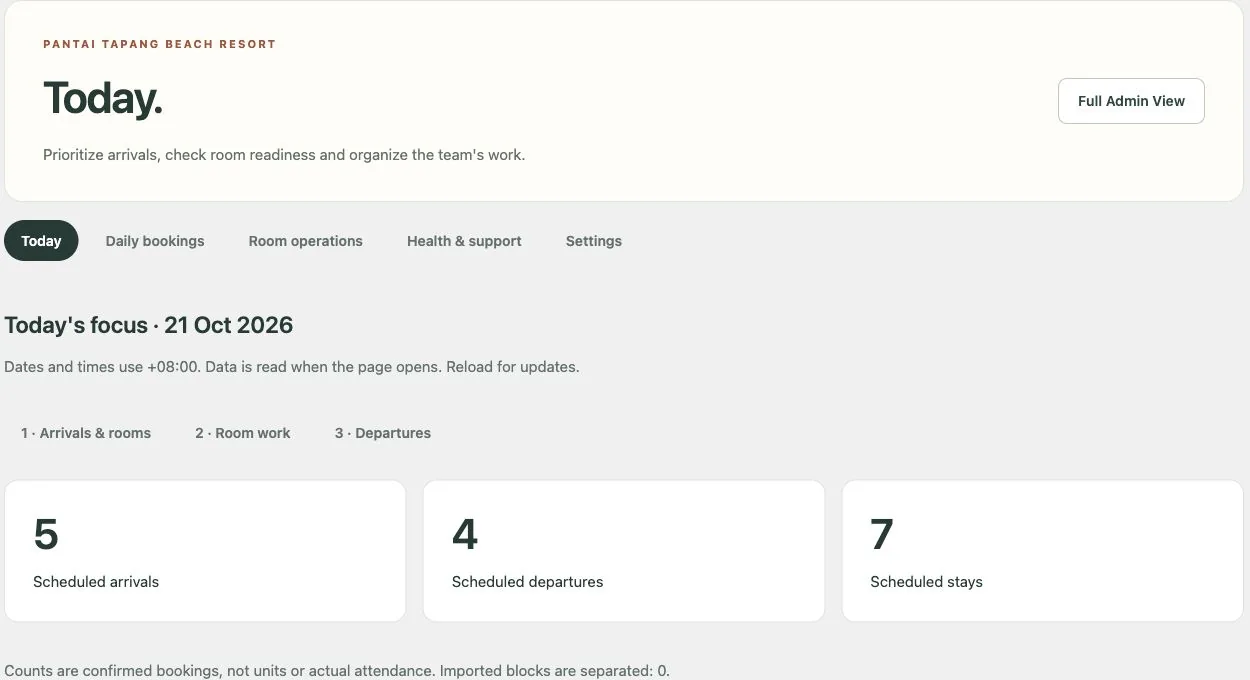
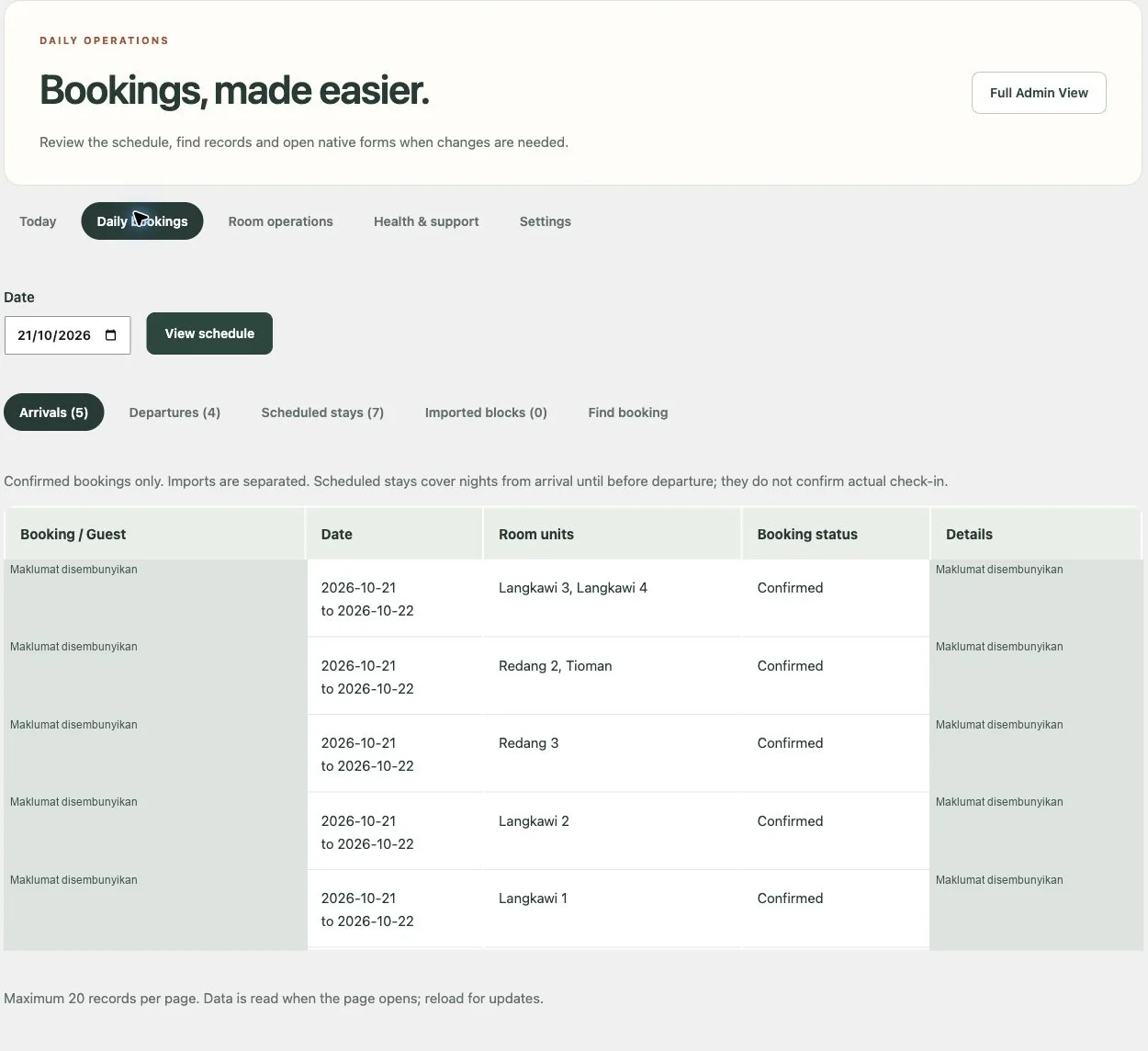
Staff views are shown through previews in an administrator session. Summary figures refer to scheduled bookings, rather than actual occupancy or attendance.
Booking calendar
See bookings by room and date.
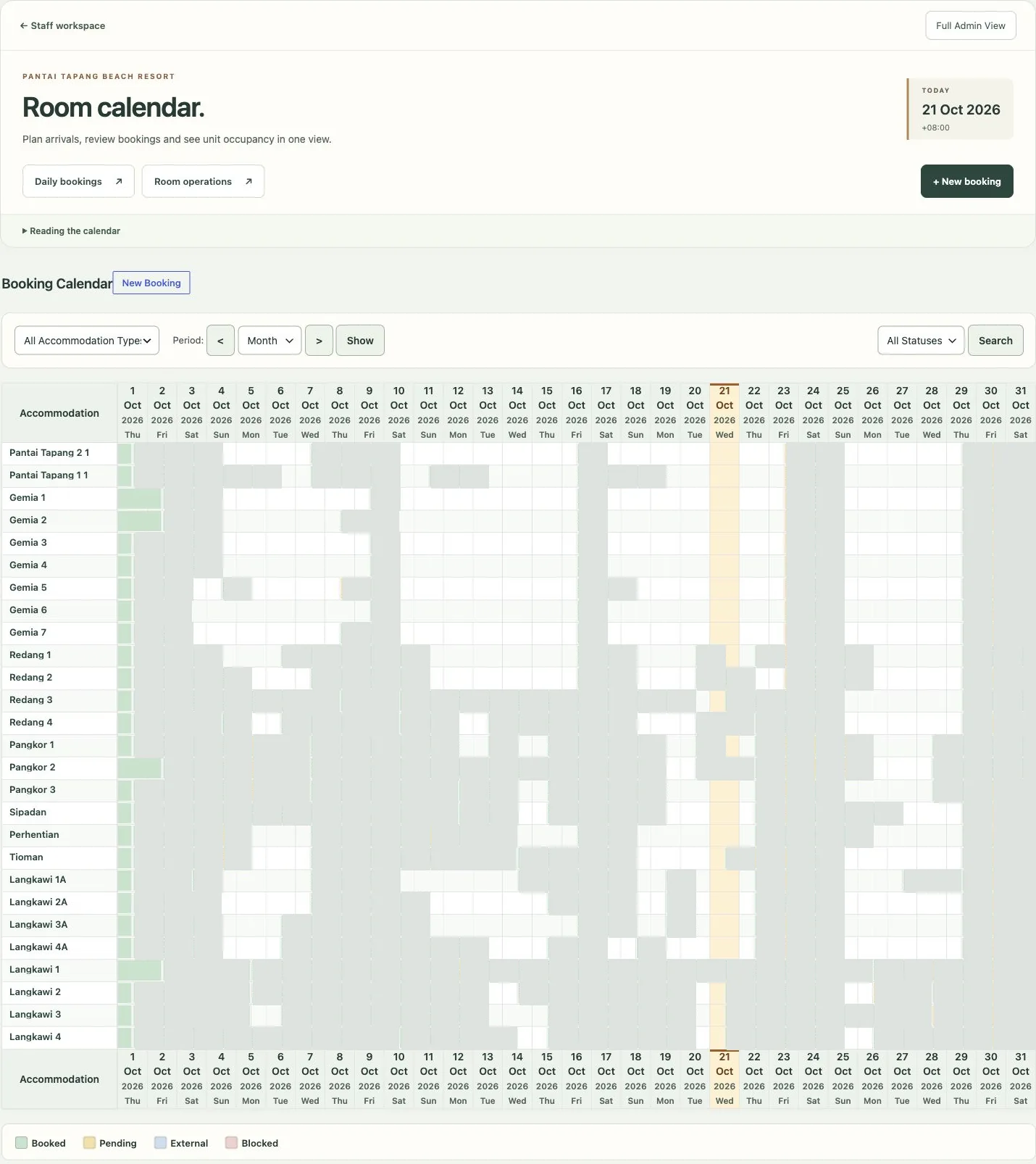
When an enquiry involves specific dates or several units, the calendar offers a different context from a booking list. Staff can see reservations on a timeline and refer to the relevant units.
The calendar complements the daily list: one view shows schedules across dates, while the other focuses on bookings relevant to a particular day.
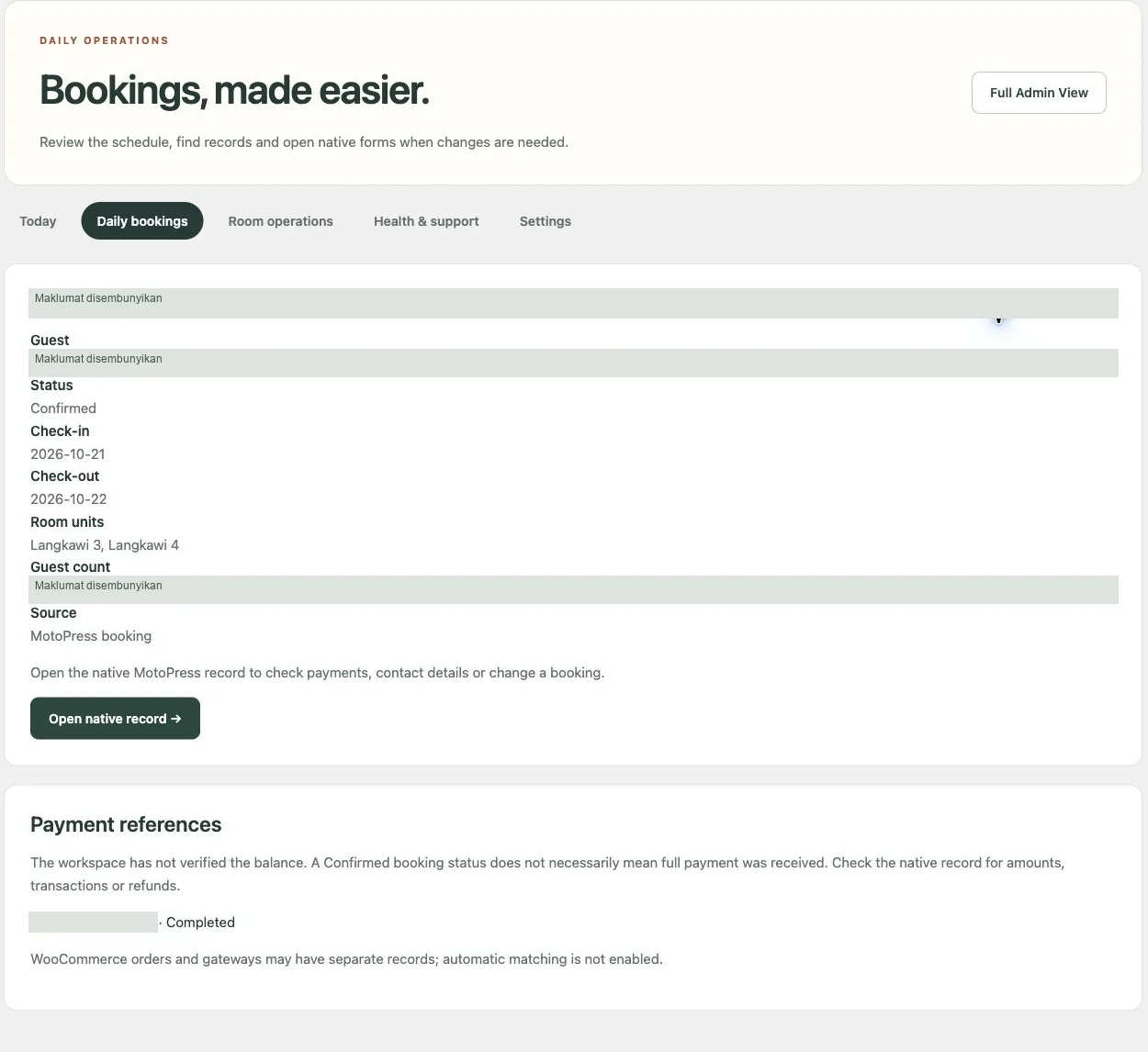
Booking details and payment references.
The detail view brings together dates, accommodation units and booking status, with routes to original records and payment references. This helps distinguish reservation information from items that need checking in transaction records.
Booking status and payment status mean different things. In this view, balances and transactions are checked through original records; it does not assume every confirmed booking has been paid in full.
Current performance evidence
Engaging design, balanced performance.
Appealing visuals and speed need to be planned together. Photos, video and animation help prospective guests imagine Pantai Tapang’s atmosphere, while optimisation delivers that experience more efficiently.
Main content display
Mobile
seconds · LCP 3.2 seconds
Desktop
seconds · LCP 0.8 seconds
Around 3 seconds on mobile. 0.8 seconds on desktop.
Performance · Mobile
/ 100Performance · Mobile
LCP 3.2 seconds · TBT 10 ms · CLS 0.001
Performance · Desktop
/ 100Performance · Desktop
LCP 0.8 seconds · TBT 20 ms · CLS 0.004
Around 3 seconds on mobile (LCP 3.2 seconds) and 0.8 seconds on desktop refer to when the main content appeared in the test, rather than when every page element finished loading. Actual results depend on the device and connection.
A score such as 99 can be a technical target, but pursuing numbers alone can sometimes involve reducing media, animation or interactive elements. This project focuses on preserving the resort’s visual identity while balancing speed, layout stability and ease of booking.
PageSpeed Insights tests on 21 October 2026 recorded Performance scores of 88 on mobile and 95 on desktop for the Pantai Tapang homepage. These results provide a snapshot after the update, with metrics available in the original reports.
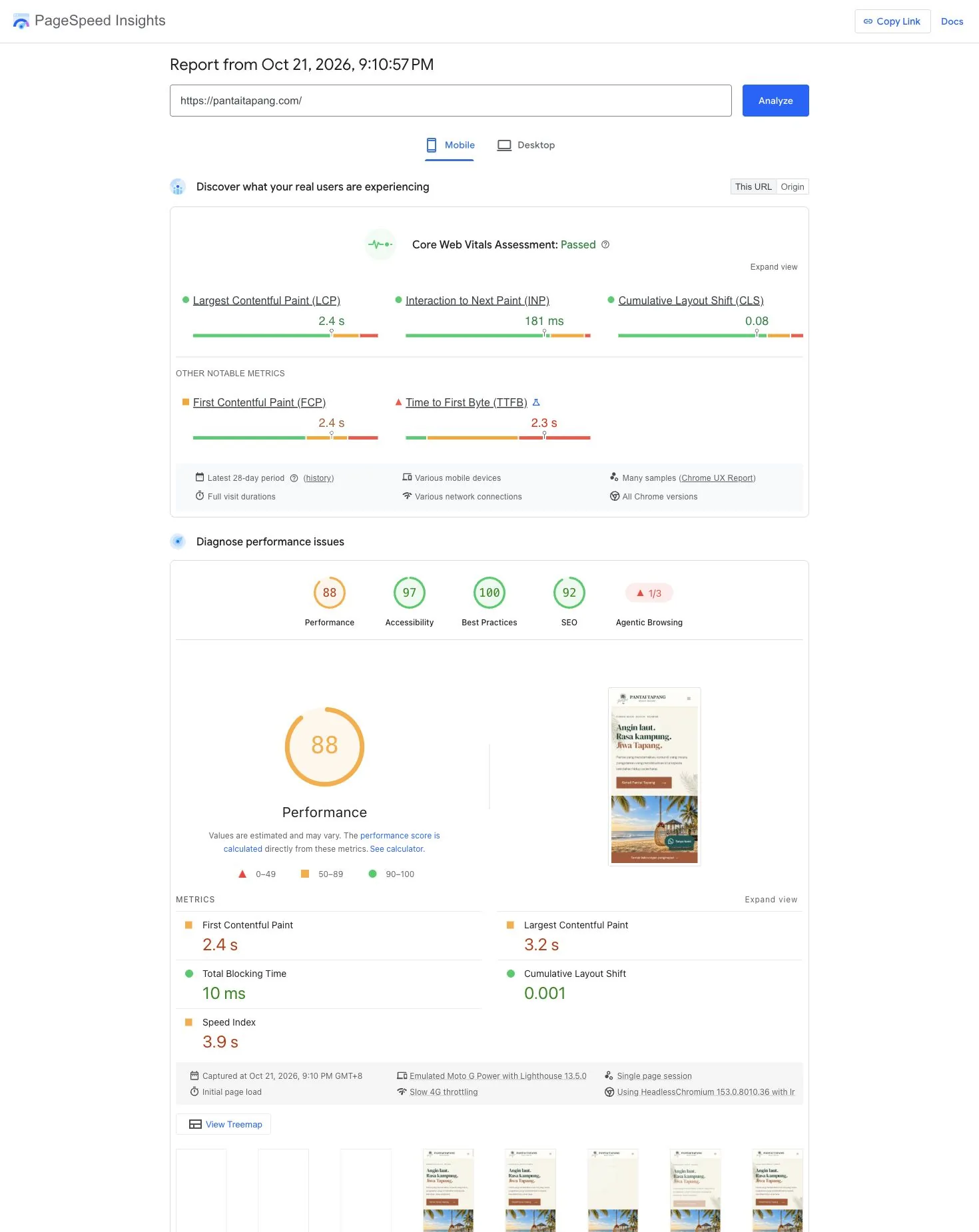
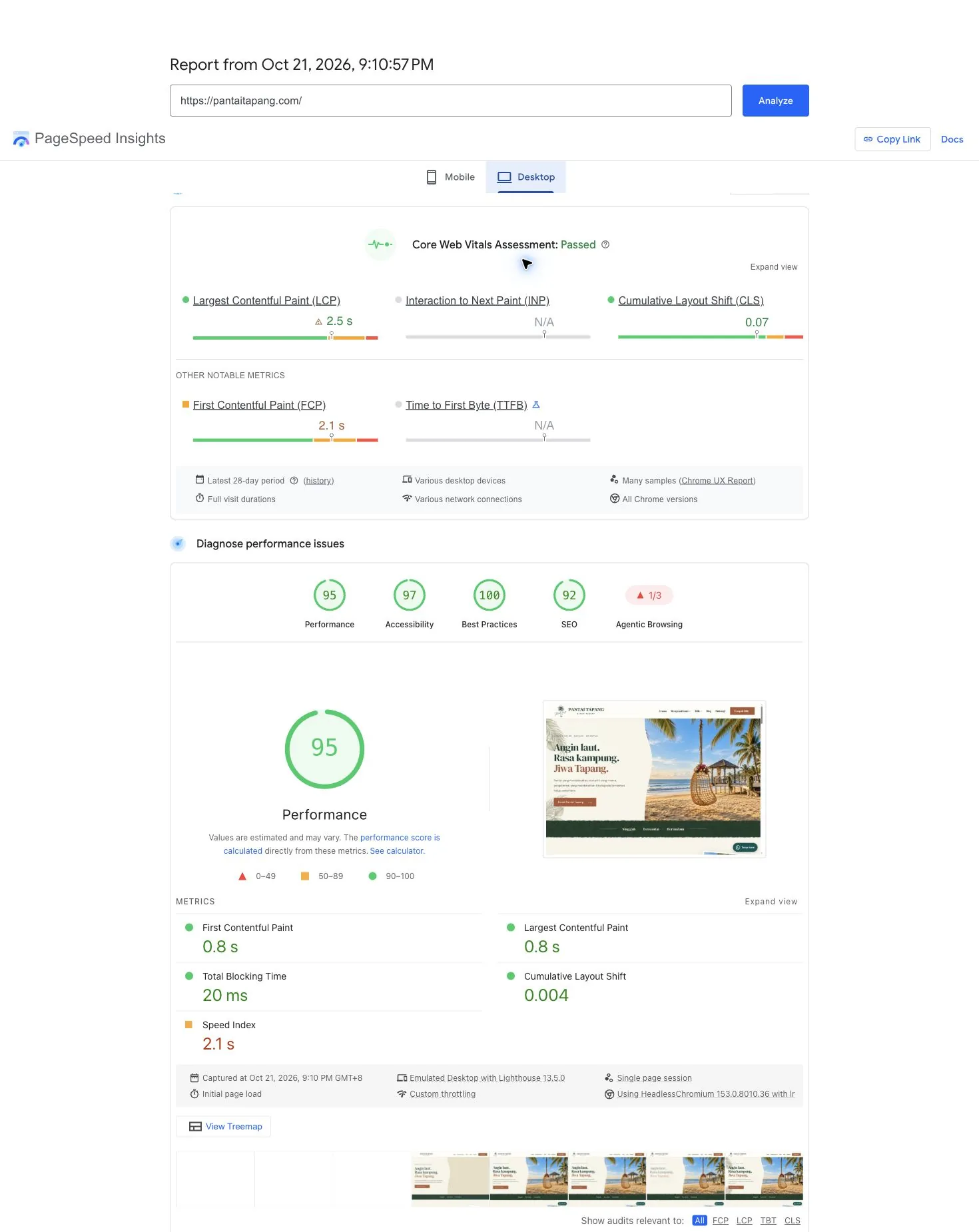
One lab test per mode, rather than a median of repeated tests. Mobile uses a simulated Moto G Power/Slow 4G connection; desktop uses desktop simulation. Values may change with test conditions. No comparable earlier baseline is available to calculate a percentage improvement.
The reports also show 28-day user experience data. Mobile data refers to the page URL, while desktop data refers to the origin/domain; both differ from the lab metrics above.
The project’s overall value
From brand presentation to operational needs.
The Pantai Tapang case study shows how design, content and functionality can form a connected experience. Visuals introduce the destination, accommodation information supports decisions, and the booking system provides a way to proceed.
For management, booking and calendar views provide context for schedules and related records. The website’s visitor-facing and operational needs are addressed within the same project scope.
- A more coherent identity: the coastal atmosphere, experiences and accommodation are presented in a single content flow.
- Choices to explore: photos, capacity and facilities help visitors evaluate accommodation.
- A clear booking journey: date checking, reservations and payments form part of the website experience.
- Views for management: daily summaries, booking lists and calendars can be consulted according to the task.
For other resorts, chalets or homestays, the right approach depends on how bookings are received, the accommodation types and who manages them. An initial discussion helps define a practical scope to build and maintain after launch.
Planning something for your accommodation business?
Build a website that helps guests choose and your team manage.
Share your accommodation types, how you currently receive bookings and what takes up the most team time. We can help prioritise design and functionality around your operations and budget.
You can begin with your current website URL, room list and a brief outline of your needs. The initial discussion is free of commitment.